
How to compress a PDF on Android
A PDF is usually large because of its images. To make it smaller, open PDFriend, tap Compress, select the PDF and choose a level: Small, Medium or Light reduction. Tap Compress. The app saves a smaller copy and keeps the original file.
Why is a PDF file large?
Images make most PDF files large. A modern phone camera takes photos of 4000 px or more on the long side. A page on a screen or on paper needs much less. When you put 10 full photos in a PDF, the file holds all these pixels.
Text is small. A page of text takes little space, because the PDF stores the letters, not a picture of them. A scan is different: each scanned page is an image, so a scan of 20 pages can be large.
How do you compress a PDF on Android?
The Compress tool of PDFriend resizes the images in the PDF and saves them again as JPEG images. It works on your phone, so the PDF does not go to a server.
-
Open Compress
Open PDFriend and tap the Compress tool on the home screen.
-
Pick the PDF
Select the PDF file that is too large. The Compression level dialog opens.
-
Choose a level
Select Small, Medium or Light reduction. Medium is a good choice for email.
-
Tap Compress
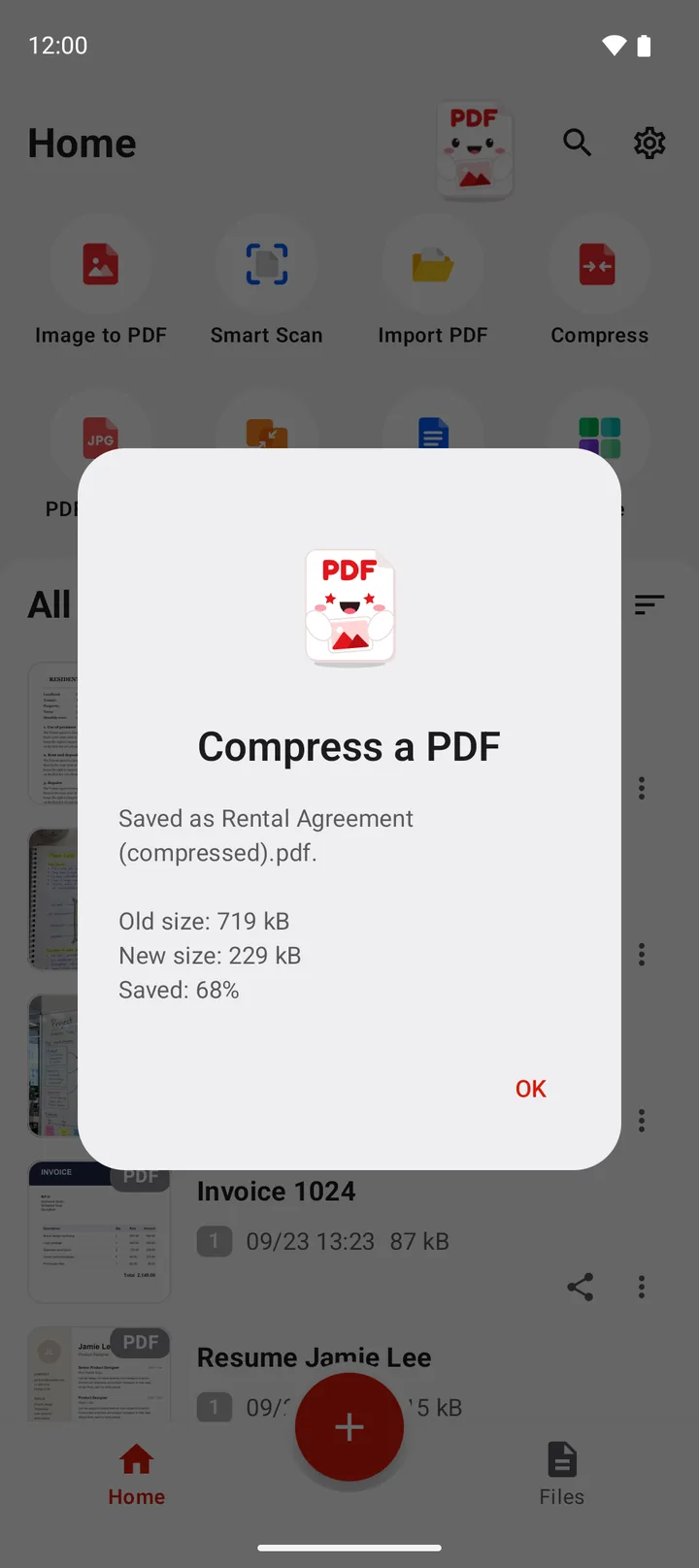
Tap Compress. The app shows the old size and the new size of the file.
-
Use the smaller copy
The app saves a copy with (compressed) at the end of the name. The original file does not change.
Note: a PDF with a password cannot be compressed. Remove the password first with the Unlock tool. Then compress the unlocked copy.
Which compress level should you choose?
Each level sets a maximum size for the longest side of each image and a JPEG quality. A lower JPEG quality makes a smaller file, but it can show small blocks in the image.
| Level | Longest side of each image | JPEG quality | Good for |
|---|---|---|---|
| Small | 1000 px | 50 | The smallest file, for an upload form with a strict size limit |
| Medium | 1600 px | 70 | Email and chat apps |
| Light reduction | 2400 px | 85 | Keep most detail, for example for print |
The result depends on the PDF. A PDF with photos or scans can become much smaller. A PDF with only text becomes a little smaller, because it has almost no images to compress. If the app cannot make a PDF smaller, it keeps the original file and saves no new file.
Tip: start with Medium. If the file is still too large, compress the original file again with Small. Do not compress a compressed copy again, because each pass lowers the image quality.
How do you make small PDF files from the start?
The best way to get a small PDF is to choose the image quality when you make it. When you convert images to PDF in PDFriend, the PDF options sheet has an Image quality setting.
- Low resizes each image to a maximum of 1200 px. It makes the smallest file.
- Medium resizes each image to a maximum of 2000 px. It is good for email.
- High resizes each image to a maximum of 3000 px. It is good for print.
- Original keeps each image at full quality, up to 4096 px on the longest side. It makes the largest file.
Choose Medium for most PDF files that you send. Then you do not need to compress the file later. To learn the full steps, read How to put many photos into one PDF.
Questions and answers
How do I make a PDF smaller on Android?
Use a compress tool. In PDFriend, tap Compress, select the PDF, choose Small, Medium or Light reduction, then tap Compress. The app saves a smaller copy and keeps the original.
Which compress level should I choose?
Choose Medium for email. It resizes each image to a maximum of 1600 px with JPEG quality 70. Choose Small for the smallest file, and Light reduction to keep most detail.
Why does my PDF not become much smaller?
The compress tool makes the images in a PDF smaller. A PDF with only text has almost no images, so it becomes only a little smaller. If the app cannot make the file smaller, it keeps the original file and saves no new file.
Does compressing a PDF lower the quality?
Yes, for the images. Each level resizes the images and saves them with a lower JPEG quality. The text and the pages stay the same.
Can I compress a PDF that has a password?
Not directly. Remove the password first with the Unlock tool, then compress the unlocked copy. You can add the password again with the Lock tool.
Does PDFriend upload my PDF to compress it?
No. PDFriend compresses the PDF on your phone. The app does not upload your PDF files.