
How to convert a photo to PDF on Android
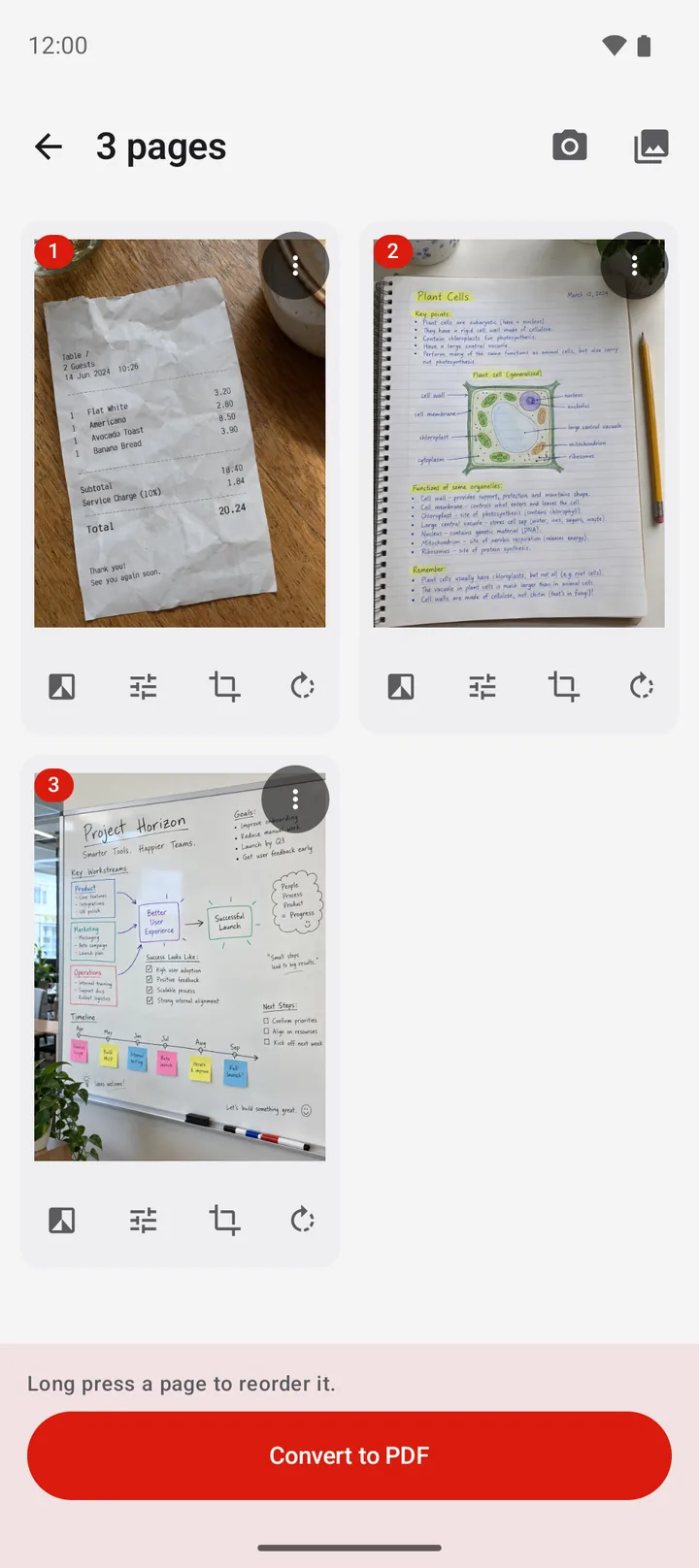
To convert a photo or a picture to PDF, use a PDF app. In PDFriend, tap Image to PDF, select the photos, long press a photo to change the order, then tap Convert to PDF. Set Images per page to 1, 2 or 4, choose the image quality, then tap Create PDF. You get one PDF file.
Can Android put many photos in one PDF without an app?
Android has a print command with a Save as PDF printer. For one photo, this works well: open the photo, tap Print, select Save as PDF, then save.
Limit: the print command gives you little control of the pages. You cannot set the order of many photos, put 2 or 4 photos on one page, or choose the image quality. For these tasks, use a PDF app.
For the full steps of the print method, read How to convert JPG to PDF on Android.
How do you put many photos into one PDF?
PDFriend takes many photos at the same time and makes one PDF file. The app makes the PDF on your phone, so your photos do not go to a server. For 20 photos, these steps take about two minutes.
-
Open Image to PDF
Open PDFriend and tap the Image to PDF tool on the home screen.
-
Pick the photos
Select all the photos that you want in the PDF. Then confirm the selection.
-
Put the photos in order
Long press a photo and move it to its place. The first photo becomes the first page.
-
Edit the photos if necessary
Crop, rotate or add a filter to a photo. Tap Add pages to add more photos from the gallery.
-
Tap Convert to PDF
Tap Convert to PDF. The PDF options sheet opens.
-
Choose the layout and create
Set Images per page to 1, 2 or 4. Choose the page size and the image quality. Tap Create PDF.
The app saves the PDF in Documents/ImageToPDF on your phone. You can then share it, open it or print it.
How many photos should you put on each page?
The Images per page option puts 1, 2 or 4 photos on each PDF page. More photos on a page give fewer pages, but each photo is smaller.
| Images per page | Good for | Pages for 12 photos |
|---|---|---|
| 1 | Photos to print or to show in full size, documents, contracts | 12 |
| 2 | Receipts, the front and back of a card, before and after photos | 6 |
| 4 | Many small receipts, a photo overview, a contact sheet | 3 |
With 2 or 4 photos on a page, choose a page size such as A4 or Letter. With 1 photo on a page, Fit to image makes each page the same shape as its photo. To learn the exact sizes, read PDF page sizes: A4, Letter, Legal and more.
Which image quality should you choose?
The image quality sets the size of each photo in the PDF. A phone photo is often much larger than a page needs. A lower setting makes a smaller file.
| Image quality | Longest side of each image | Use |
|---|---|---|
| Low | Max 1200 px | The smallest file, for a chat app or an upload form with a size limit |
| Medium | Max 2000 px | |
| High | Max 3000 px | Print on paper |
| Original | Max 4096 px | The best quality, for a photo that you want to keep |
Tip: choose Medium quality for a PDF that you send by email. A PDF of many photos at Original quality can be too large for some email services. If the file is already too large, read How to make a PDF smaller on Android.
Questions and answers
How do I convert a photo to PDF on Android?
Open PDFriend and tap Image to PDF. Select the photo, tap Convert to PDF, then tap Create PDF. The same steps work for a picture, a screenshot or many photos at the same time.
How do I combine many photos into one PDF on Android?
Use a PDF app that accepts many images. In PDFriend, tap Image to PDF, select the photos, put them in order, tap Convert to PDF, then tap Create PDF. The result is one PDF file.
Can I put 2 or 4 photos on one PDF page?
Yes. In the PDF options sheet of PDFriend, set Images per page to 2 or 4. Receipts and small photos fit well with 2 or 4 on one page.
Can Android print many photos to one PDF without an app?
The print command of Android makes one PDF from the item that you print. For one photo, it works well. For many photos in one file with a set order, use a PDF app.
How do I change the order of the photos?
In the PDFriend editor, long press a photo, then move it to a new place. The order in the editor is the order of the pages in the PDF.
Which image quality makes the smallest PDF?
Low makes the smallest file. It resizes each image to a maximum of 1200 px. Medium, with a maximum of 2000 px, is a good choice for email.
Do my photos go to a server?
No. PDFriend makes the PDF on your phone. The app does not upload your photos or your PDF files.