
How to convert text to PDF on Android
To convert text to PDF on Android, open PDFriend and tap Text to PDF. Type or paste the text in the Text field, then tap Create PDF. The app makes A4 pages with real text that you can select. It has no font or format options.
How do you convert text to PDF on Android?
Text to PDF turns plain text into a PDF file on your phone. The app does not upload the text. The steps take less than one minute.
-
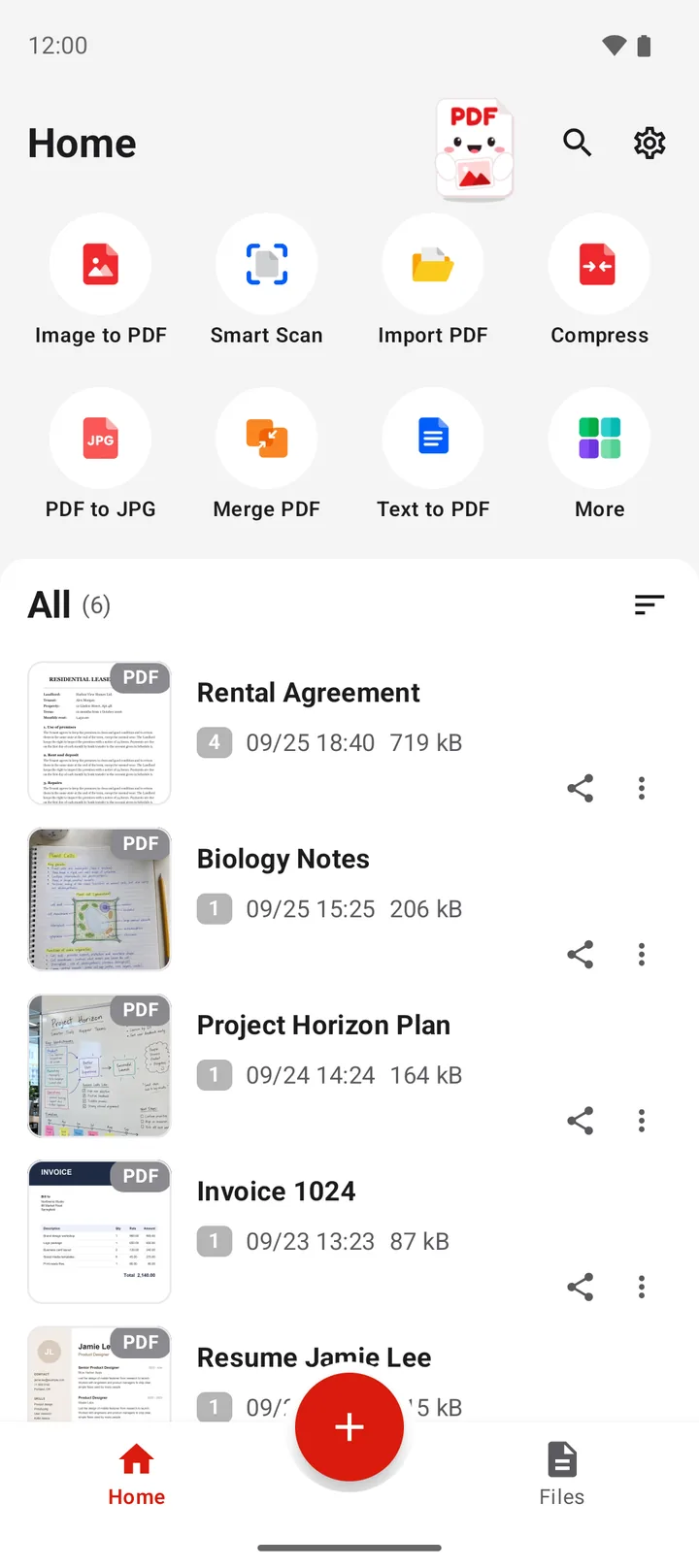
Open Text to PDF
Open PDFriend and tap the Text to PDF tool on the home screen.
-
Type or paste the text
Tap the Text field. Type the text, or long press the field and tap Paste.
-
Name the file
Type a name in the File name field. If you do not change it, the app uses a name with the date.
-
Tap Create PDF
Tap Create PDF. The app makes A4 pages and saves the file in Documents/ImageToPDF.
How do you paste text from notes or a chat?
Most text on a phone is already in another app. Copy it there, then paste it into PDFriend.
- In the notes app, the email or the chat, long press the text.
- Move the handles to select all the text that you need. Some apps also show Select all.
- Tap Copy.
- Open PDFriend, tap Text to PDF, then long press the Text field.
- Tap Paste, then tap Create PDF.
To copy the text from a photo or a scan, first read how to copy text from an image.
What does the PDF from Text to PDF look like?
The app uses the same layout for every file. You cannot change it.
- Page size: A4 (210 x 297 mm), portrait.
- Text: one font at 12 points, with about 43 lines on each page.
- Margin: about 19 mm (0.75 inch) on each side.
- Lines: a long line goes onto the next line at a space. A new page starts when a page is full.
- Line breaks: each line break and each empty line in your text stays in the PDF.
Limit: Text to PDF has no formatting options. It has no font size, no bold, no italic, no headings, no pictures and no other page size. Two or more spaces become one space, so columns of text do not stay in line.
For A4 and the other page sizes, read PDF page sizes: A4, Letter, Legal and more.
Which languages can you use in Text to PDF?
The app puts its fonts into each PDF. So the PDF shows the correct letters on every device, also on a computer without these fonts.
| Alphabet | Examples | Result |
|---|---|---|
| Latin | English, German, French, Spanish | Works |
| Greek | Greek | Works |
| Cyrillic | Russian, Ukrainian | Works |
| Arabic | Arabic, Persian, Urdu | Works. Lines start at the right, and the letters join. |
| Other alphabets and emoji | Chinese, Japanese, Korean, emoji | Each character shows as a question mark |
Can you make a PDF from text without this app?
Yes. Google Docs can save a document as a PDF. Open the document, tap the More menu (three dots), tap Share & export, then save it as a PDF. Use Google Docs when you need fonts, bold text, headings or pictures. Use Text to PDF when you only need the words in a PDF, fast and on the phone.
For a web page, do not copy the text. Tap More, then Web to PDF, and the app keeps the layout. Read how to save a website as a PDF.
Tip: to make a heading stand out, put an empty line before it and after it. Use capital letters for a short title.
Questions and answers
How do I convert text to PDF on Android?
Open PDFriend and tap Text to PDF. Type or paste the text in the Text field, then tap Create PDF. The app saves an A4 PDF in Documents/ImageToPDF.
Can I select and copy the text in the PDF?
Yes. The PDF holds real text, not a picture of text. You can select, copy and search the words in a PDF reader.
Can I change the font, the font size or the page size?
No. Text to PDF always uses one font at 12 points on A4 pages. It has no bold, no italic, no headings and no other page size. For formatted text, use a word processor.
Does Text to PDF work with Arabic text?
Yes. The app embeds an Arabic font. An Arabic line starts at the right edge of the page, and the letters join. Persian and Urdu text also works.
Why do some characters show as a question mark?
The app has fonts for the Latin, Greek, Cyrillic and Arabic alphabets, for example English, Greek, Russian and Arabic. It shows a question mark for a character that these fonts cannot draw, for example an emoji or a Chinese character.
Can I convert a web page to PDF the same way?
You can paste the text of a web page, but you lose the pictures and the layout. To keep the page as it looks, tap More, then tap Web to PDF.