
How to convert PDF to Word on your phone
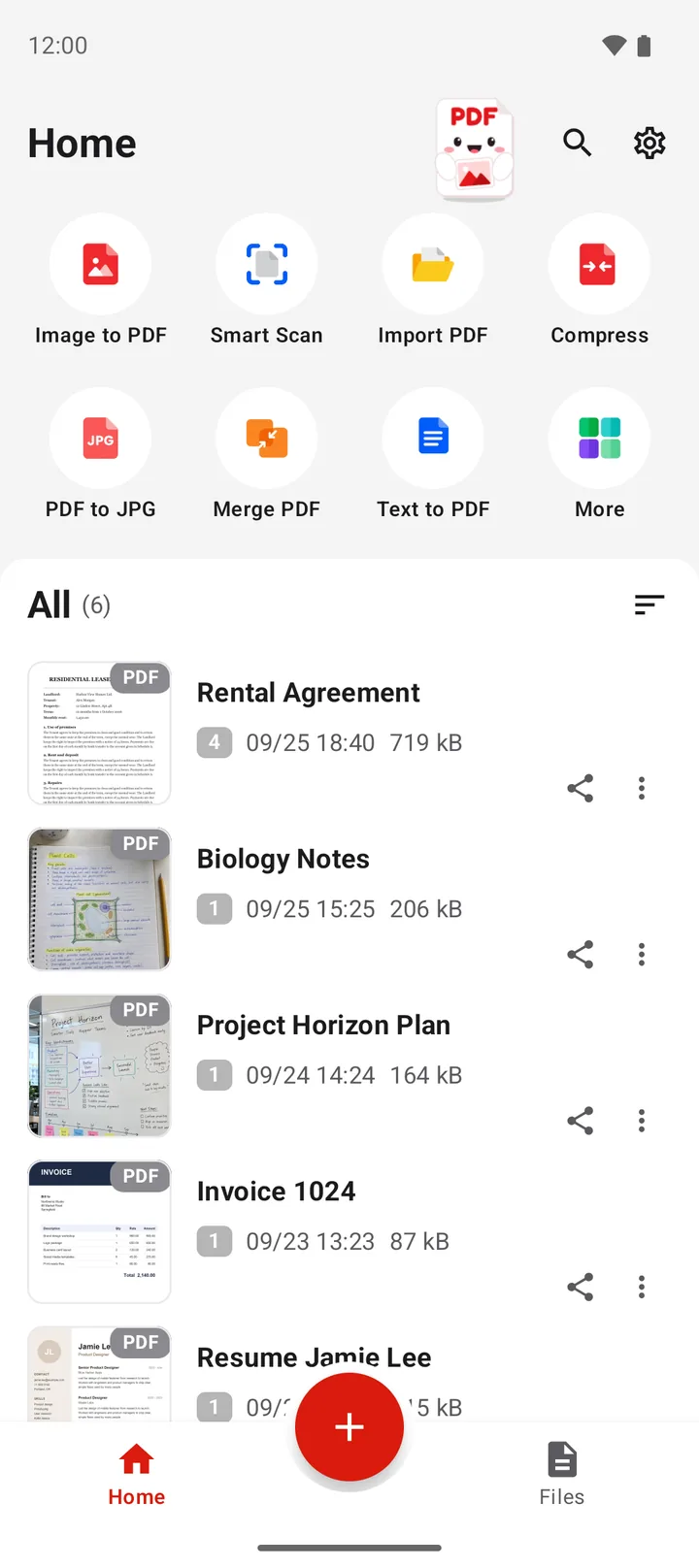
To convert a PDF to Word on Android, open PDFriend, tap More, then tap PDF to Word and pick the PDF. The app makes a .docx file on the phone. The text becomes paragraphs that you can edit, and large text becomes headings. A scanned page becomes a picture. Tables and columns do not keep their layout. The iPhone app has the same tool.
How do you convert a PDF to Word on Android?
A PDF is hard to change. To fix a date in a contract or to reuse the text of a report, you need the words in an editable file. PDF to Word makes that file on your phone.
-
Open the More tools sheet
Open PDFriend and tap More, the last tile on the home screen.
-
Tap PDF to Word
In the More tools sheet, tap PDF to Word.
-
Pick the PDF
Pick the PDF file. The app shows the progress page by page.
-
Open the Word file
The result screen shows "Word file created". Open the .docx file in a word processor app, or share it. The file is in Documents/ImageToPDF on Android.
To edit the .docx file, you need a word processor app on the phone, for example Microsoft Word or Google Docs. PDFriend can show the file in its Office Reader, but it does not edit Word files.
What does the Word file look like?
PDF to Word moves the text, not the exact design. The result is good for text that you want to change or copy. It is not a copy of the page layout.
| Part of the PDF | In the Word file |
|---|---|
| Text | Paragraphs that you can edit |
| Large text, for example a title | A heading |
| Pictures | Yes, after the text of their page |
| A page without text (a scan) | One picture of the page |
| Tables | The text stays, the table layout does not |
| Columns | The text stays, the columns do not |
Each PDF page starts with its own text, so the order of the pages stays the same.
What happens to a scanned PDF?
A scan or a photo of paper has no text in it, only a picture. PDF to Word puts such a page into the Word file as one picture. You see the page, but you cannot edit the words.
To get the text of a scan, read the words from the image first. Read how to copy text from an image on Android. Then paste the text into your document.
How do you get a better Word file?
- Use the original PDF. A PDF that a computer made (for example from Word) has real text. A printed and scanned copy does not.
- Unlock it first. A PDF with a password does not convert. Read how to remove the password from a PDF.
- Keep only the pages that you need. Split the PDF or extract pages first, and the Word file is shorter.
- Check the tables. Rebuild an important table in Word after the conversion.
When you are done, convert the edited file back with Word to PDF. Read how to convert Word to PDF on Android.
PDF to Word in numbers
- Output: a Word file in the .docx format.
- File name: the name of the PDF. "report.pdf" gives "report.docx".
- Folder: Documents/ImageToPDF on Android 10 and later.
- Text: editable paragraphs, large text as headings.
- Pages without text: one picture for each page.
- Android version: Android 9 or later, iOS 26 or later (iPhone). PDFriend version 1.0.4 or later.
- Upload: none. The conversion runs on the phone.
How do you convert PDF to Word on iPhone?
PDFriend is also an iPhone app (iOS 26 and later). Tap More, then tap PDF to Word and pick the PDF. The app makes a .docx file on the phone. The file goes to the folder of the app. In the Files app, open On My iPhone > PDFriend.
Questions and answers
How do I convert a PDF to Word on my Android phone?
Open PDFriend, tap More, then tap PDF to Word. Pick the PDF. The app makes a .docx file on the phone and saves it in Documents/ImageToPDF on Android, with the name of the PDF.
Can I edit the text in the Word file?
Yes, when the PDF has real text. The text of each page becomes paragraphs that you can edit, and large text becomes a heading. Open the .docx file in a word processor app to edit it.
Why is my scanned PDF a picture in Word?
A scan has no text, only a picture of the paper. PDF to Word puts a page without text into the Word file as one picture of the page. The app does not read the text of a scan in this tool.
Does the Word file keep the tables and the layout?
No. Tables and columns do not keep their layout: their text becomes normal paragraphs. The pictures of a page come after the text of that page. Plan to fix the layout in Word.
Can I convert a PDF with a password to Word?
Not directly. The app says: "This file has a password. Remove the password, then try again." Use the Unlock tool to save a copy without the password, then convert the copy.
Does the app upload my PDF?
No. PDFriend makes the Word file on your phone. It does not upload the PDF, and it needs no account.