
How to make a PDF on your phone: 6 ways for iPhone and Android
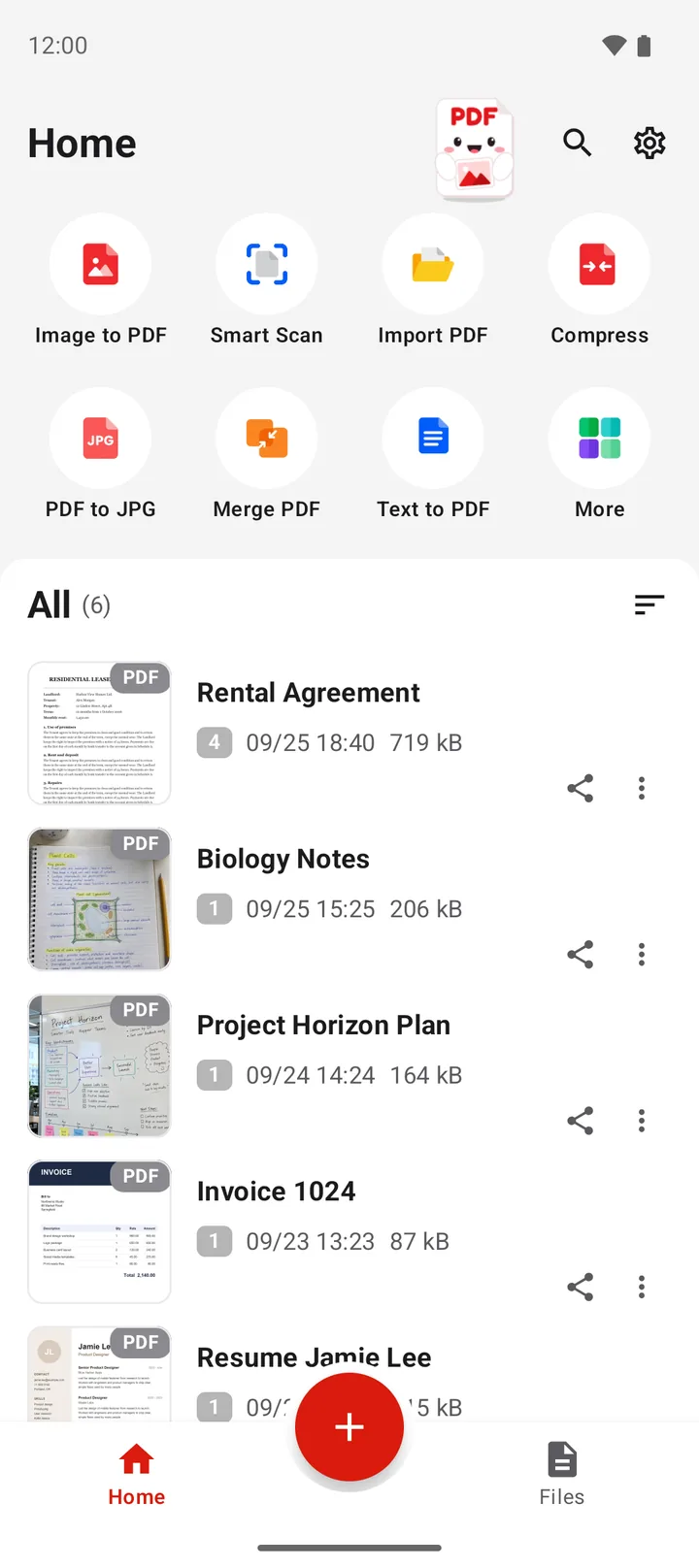
To make a PDF on an Android phone, use a PDF app. In PDFriend, tap the round plus button and choose Image to PDF, Camera or Smart Scan. In the editor, tap Convert to PDF, then Create PDF. For text, use Text to PDF. For a web page, use Web to PDF. For an ID card, use ID Card. The app makes the PDF on your phone. The iPhone app has the same tools.
Which ways are there to make a PDF on a phone?
The correct way depends on what you have: photos in the gallery, a sheet of paper, a text, a web page or a Word file. PDFriend has one tool for each source.
| You have | Tool | Where in the app | Guide |
|---|---|---|---|
| Photos or images in the gallery | Image to PDF | Home screen or plus button | Image to PDF |
| Something in front of the camera | Camera | Plus button or More | Camera to PDF |
| A sheet of paper | Smart Scan | Home screen or plus button | Scan a document to PDF |
| An ID card or another card | ID Card | More | Scan an ID card |
| A text, a note or a .txt file | Text to PDF | Home screen | Text to PDF |
| A web page | Web to PDF | More | Save a web page as PDF |
| A Word file (.docx) | Word to PDF | More | Word to PDF |
| A PowerPoint file (.pptx) | PPT to PDF | More | PowerPoint to PDF |
The images can be JPG, PNG, HEIC or WebP. For PNG images and screenshots, read how to convert PNG to PDF on Android.
How do you make a PDF from photos or a scan?
The three most common sources are behind the round plus button at the bottom of the home screen. After that, the steps are always the same.
-
Tap the plus button
Open PDFriend and tap the round plus button at the bottom. The Create a PDF sheet opens.
-
Choose the source
Tap Image to PDF for photos from the gallery, Camera for a new photo, or Smart Scan for paper.
-
Edit the pages
In the editor, put the pages in order, crop them, rotate them or choose a filter.
-
Tap Convert to PDF
Tap Convert to PDF. In the PDF options, choose the page size, the margin and the image quality.
-
Create the PDF
Tap Create PDF. The app shows the PDF with Open, Share and Print. On Android 10 and later, the file goes to Documents/ImageToPDF.
Which options can you set for a new PDF?
For a PDF from images, the PDF options open before the save. These are the values:
| Option | Values |
|---|---|
| Page size | Fit to image, A3, A4, A5, B4, B5, Letter, Legal, Executive, Business card |
| Orientation | Auto, Portrait, Landscape |
| Margin | None, Small, Medium, Large |
| Images on each page | 1, 2 or 4 |
| Image quality | Low (up to 1200 px), Medium (up to 2000 px), High (up to 3000 px), Original (up to 4096 px) |
| Extras | Page numbers, header, watermark, password (AES-256), Searchable text (Pro) |
Text to PDF and Web to PDF do not have these options. They always make A4 pages with real text.
What can you do with the PDF after?
You can work on the finished PDF in the same app:
- Sign: with Annotate and sign in the viewer. Read how to sign a PDF on Android.
- Merge: join many PDF files into one file.
- Compress: make the PDF smaller for an email or an upload.
- Lock: save a copy with a password.
- Organize: move, rotate or remove pages. Read how to rotate a PDF on Android.
How do you make a PDF on iPhone?
PDFriend is also an iPhone app (iOS 26 and later). It has the same 22 tools with the same names. Tap the round plus button and choose Image to PDF, Camera or Smart Scan. For text, a web page, an ID card or a Word file, tap More and use Text to PDF, Web to PDF, ID Card or Word to PDF.
On iPhone, Smart Scan and ID Card use the Apple document camera. You can also share images, a web page from Safari or a note to PDFriend. The PDF goes to the folder of the app. In the Files app, open On My iPhone > PDFriend.
Questions and answers
How do I make a PDF on my phone?
Use a PDF app. In PDFriend, tap the round plus button and choose Image to PDF, Camera or Smart Scan. In the editor, tap Convert to PDF, then tap Create PDF. For text, use Text to PDF.
Can Android make a PDF without an app?
Yes, with the print function. Many apps have Print in their menu. Choose Save as PDF as the printer and save the file. This turns a page or an image into a PDF.
Can PDFriend turn a Word document into a PDF?
Yes, from version 1.0.4. Tap More, then tap Word to PDF and pick the .docx file. The text in the PDF stays text that you can select. Old .doc files do not open. For PowerPoint, use PPT to PDF.
Can I make a fillable PDF form?
No. PDFriend fills the fields of an existing form with Fill form. The app does not add new form fields.
How do I make one PDF from many PDF files?
Tap Merge PDF on the home screen, pick two or more PDF files and set the order. The app saves a new PDF.
Where do I find the PDF that I made?
On Android 10 and later, in Documents/ImageToPDF on an Android phone. The home screen of PDFriend lists all the PDF files of the app, with a search by file name.